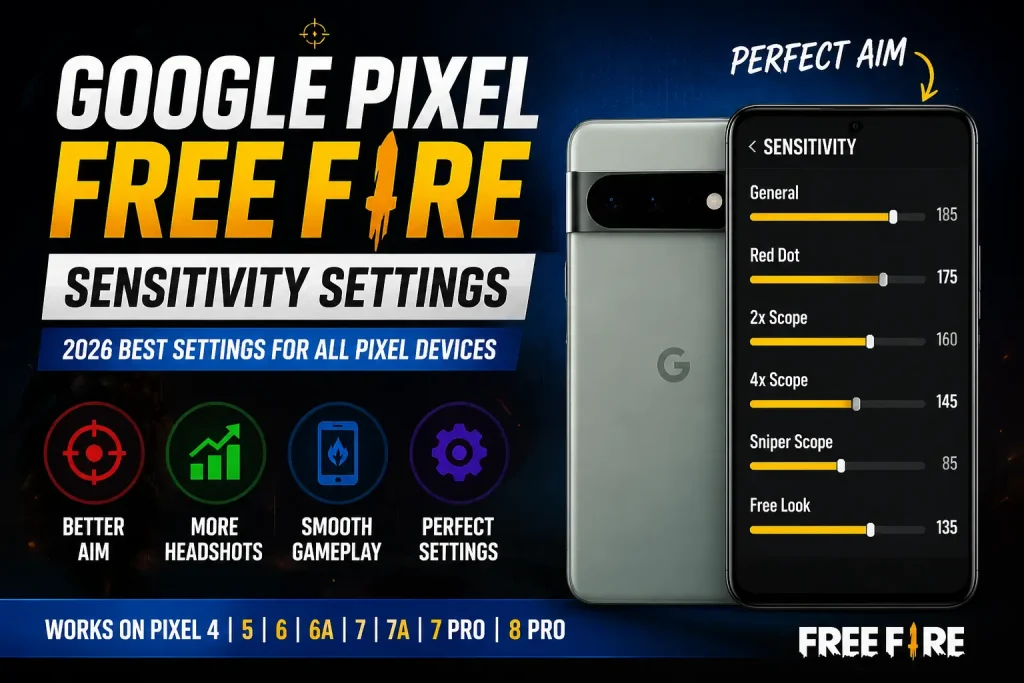
Google Pixel Free Fire Sensitivity Settings 2026 – Best Headshot Guide

Google Pixel Free Fire Sensitivity Settings Guide 2026
Google Pixel Free Fire sensitivity settings are important for players who want smooth aim control, better drag headshots, and stable gameplay. If you are using a Google Pixel phone and your Free Fire sensitivity limit is 200, this guide will help you choose balanced settings for close-range fights, mid-range fights, and smoother movement.
In this guide, you will find device-wise Google Pixel Free Fire Sensitivity Settings 200 for Pixel 4, Pixel 5, Pixel 6, Pixel 6a, Pixel 7, Pixel 7 Pro, Pixel 8, and Pixel 8 Pro. You will also get a simple DPI guide, fire button size suggestion, 90 FPS settings, common problems and fixes, FAQ, and final advice.
These settings are not magic values that work perfectly for every player. Use them as a base setup, then adjust slowly according to your comfort. Before playing ranked matches, test the settings in training mode or Clash Squad so your fingers can build proper muscle memory.
For more Free Fire guides, you can visit the FF Trust BD home page. If you also need the game download guide, check the Free Fire MAX download article.
Table of Contents
Best Google Pixel Free Fire Sensitivity Settings 200
The best Google Pixel Free Fire sensitivity settings depend on your playing style, DPI, fire button size, and display smoothness. For most Pixel users, high General and Red Dot sensitivity work better for Free Fire headshot sensitivity settings. Scope sensitivity should be balanced so that your aim does not shake too much in mid-range and long-range fights.
If your aim feels too fast, reduce General or Red Dot by 5 to 10 points. If your drag headshot feels slow, increase General sensitivity slowly. Do not change settings after every match because muscle memory needs time to adjust.
For close-range fights, General and Red Dot are the most important settings. For mid-range fights, 2x Scope and 4x Scope matter more. Sniper Scope should stay lower than other values because too much sniper sensitivity can make long-range aiming unstable.
Device Wise Google Pixel Free Fire Sensitivity Settings 200
Google Pixel 4 Free Fire Sensitivity Settings 200
Google Pixel 4 users should use high but controlled sensitivity. Since Pixel 4 is an older device, keep graphics light and close background apps before playing. This can help reduce lag and make touch response more stable.
- General: 190-200
- Red Dot: 180-190
- 2x Scope: 170-180
- 4x Scope: 155-170
- Sniper Scope: 100-120
- Free Look: 150-170
If your aim shakes too much on Pixel 4, reduce Red Dot first. If drag is slow, increase General slightly.
Google Pixel 5 Free Fire Sensitivity Settings 200
Google Pixel 5 gives good touch response for Free Fire. These settings are useful for drag headshots, quick movement, and close-range aim control. Pixel 5 users can keep General near the higher side for faster drag.
- General: 190-200
- Red Dot: 182-192
- 2x Scope: 172-184
- 4x Scope: 158-172
- Sniper Scope: 100-125
- Free Look: 150-170
If you play Clash Squad, keep General high. For Battle Royale, keep 4x Scope slightly lower for better control.
Google Pixel 6 Free Fire Sensitivity Settings 200
Google Pixel 6 can handle Free Fire smoothly with optimized settings. Use high General sensitivity for close-range drag and balanced scope values for mid-range fights.
- General: 192-200
- Red Dot: 184-196
- 2x Scope: 176-188
- 4x Scope: 164-176
- Sniper Scope: 110-130
- Free Look: 160-180
These settings are good for players who use SMG, shotgun, and AR weapons. If your 2x aim is unstable, reduce 2x Scope by 5 points.
Google Pixel 6a Free Fire Sensitivity Settings 200
Pixel 6a Free Fire sensitivity settings should be high for better drag headshots and stable close-range control. If you play with SMG or shotgun, keep General and Red Dot near the higher side.
- General: 192-200
- Red Dot: 184-196
- 2x Scope: 176-188
- 4x Scope: 164-176
- Sniper Scope: 110-130
- Free Look: 160-180
For Pixel 6a, start with the middle value first. After 5 to 10 matches, increase or decrease based on your aim control.
Google Pixel 7 Free Fire Sensitivity Settings 200
Pixel 7 Free Fire sensitivity settings can be slightly higher because the device gives smooth touch response. These settings are good for aggressive gameplay, drag headshots, and ranked matches.
- General: 194-200
- Red Dot: 186-196
- 2x Scope: 176-190
- 4x Scope: 164-180
- Sniper Scope: 110-130
- Free Look: 160-180
If your aim goes above the enemy head, reduce General by 5 points. If your crosshair does not reach the head, increase General slowly.
Google Pixel 7 Pro Free Fire Sensitivity Settings 200
Pixel 7 Pro users can keep sensitivity very high for faster drag movement. This device is suitable for smooth movement, quick aim shift, and close-range fight control.
- General: 196-200
- Red Dot: 188-198
- 2x Scope: 180-192
- 4x Scope: 168-182
- Sniper Scope: 112-135
- Free Look: 164-180
For ranked matches, use Smooth graphics and high FPS if available. Stable performance is more important than high visual quality.
Google Pixel 8 Free Fire Sensitivity Settings 200
Pixel 8 users can use fast sensitivity for smooth close-range fights. Beginners should start from the lower value and increase slowly after testing in training mode.
- General: 196-200
- Red Dot: 190-200
- 2x Scope: 180-192
- 4x Scope: 170-184
- Sniper Scope: 115-140
- Free Look: 170-185
Pixel 8 is good for players who like fast aim movement. If your aim becomes hard to control, reduce Red Dot and 2x Scope first.
Google Pixel 8 Pro Free Fire Sensitivity Settings 200
Pixel 8 Pro Free Fire sensitivity settings can be very high for fast drag headshots and one-tap control. These values are suitable for players who like quick movement and close-range gameplay.
- General: 198-200
- Red Dot: 190-200
- 2x Scope: 182-194
- 4x Scope: 172-186
- Sniper Scope: 120-145
- Free Look: 170-190
For Pixel 8 Pro, keep General close to 200 if you are comfortable with fast drag. For long-range fights, keep 4x Scope lower than Red Dot.
DPI + Fire Button Guide for Google Pixel Free Fire
DPI and fire button size can affect your drag headshot control. DPI controls how fast the screen responds, and fire button size affects how easily you can drag the aim upward. For more detail, you can check this best Free Fire DPI settings guide.
- Control DPI: 480-520
- Balanced DPI: 520-560
- Fast Drag DPI: 560-600
- Fire Button Size: 40%-45%
For most Google Pixel users, DPI between 520 and 560 is a safe starting point. If your drag is slow, increase DPI slightly. If your aim shakes too much, reduce DPI and Red Dot sensitivity.
Do not increase DPI too much at once. Change it step by step and test your gameplay. A small change can make a big difference in aim control, especially on Pixel devices with smooth touch response.
Google Pixel 90 FPS Free Fire Settings
For smoother Free Fire gameplay on Google Pixel phones, use light graphics and high FPS settings if your game supports it. Smooth graphics can help reduce lag, heating, and frame drops during close-range fights.
- Graphics: Smooth
- High FPS: High / Ultra
- Shadow: Off
- High Resolution: Off if lag happens
- Filter: Classic
- Auto Scale: Off
- Battery Saver: Off while gaming
- Background Apps: Clear before playing
If your Google Pixel device heats up, reduce graphics and avoid playing while charging. Stable FPS is more important than high graphics because smooth gameplay helps aim control.
If you need the latest game file or installation guide, read this Free Fire MAX download post before updating or reinstalling the game.
Common Problems & Fix for Google Pixel Free Fire
If your gameplay does not feel comfortable after applying these settings, do not change everything at once. Fix one problem at a time and test in training mode. This is the best way to understand which setting is causing the problem.
- Aim shaking: Reduce Red Dot by 5-10 points.
- Drag headshot slow: Increase General by 5 points.
- Scope unstable: Reduce 2x Scope or 4x Scope sensitivity.
- No headshots: Practice drag in training mode and adjust fire button size.
- Lag or delay: Use Smooth graphics and close background apps.
- Phone heating: Turn off shadow, reduce graphics, and take short breaks.
If you are a beginner, do not use the highest value immediately. Start with the lower side of each range, then increase slowly when your control improves.
FAQ: Google Pixel Free Fire Sensitivity Settings
What is the best Google Pixel Free Fire sensitivity 200?
For Google Pixel phones, a good 200 sensitivity setup is General 190-200, Red Dot 180-200, 2x Scope 170-194, 4x Scope 155-186, Sniper Scope 100-145, and Free Look 150-190.
What is the best Pixel 6a Free Fire sensitivity?
For Pixel 6a, use General 192-200, Red Dot 184-196, 2x Scope 176-188, 4x Scope 164-176, Sniper Scope 110-130, and Free Look 160-180.
What is the best Pixel 7 Free Fire sensitivity?
For Pixel 7, use General 194-200, Red Dot 186-196, 2x Scope 176-190, 4x Scope 164-180, Sniper Scope 110-130, and Free Look 160-180.
What is the best Pixel 8 Pro Free Fire sensitivity?
For Pixel 8 Pro, use General 198-200, Red Dot 190-200, 2x Scope 182-194, 4x Scope 172-186, Sniper Scope 120-145, and Free Look 170-190.
Which DPI is best for Google Pixel Free Fire?
DPI between 520 and 560 is a balanced starting point for most Google Pixel users. For faster drag, try 560-600 DPI, but reduce it if your aim becomes unstable.
Can Google Pixel run Free Fire at 90 FPS?
Some Google Pixel phones may feel smoother with high FPS settings if supported by the game and device. Use Smooth graphics and High or Ultra FPS for better stability.
Final Advice
These Google Pixel Free Fire sensitivity settings are made for the 200 sensitivity system. Use them as a base setup, then adjust slowly based on your comfort. Do not change settings too often because consistency helps build better muscle memory.
Start with the recommended settings, test them in training mode, and play a few matches before making changes. With proper sensitivity, balanced DPI, and smooth graphics, your Google Pixel Free Fire gameplay can feel more stable and comfortable.
If this guide helps you, save it and check the FF Trust BD home page for more Free Fire sensitivity and gameplay guides.


No Google pixel 7A sensitivity