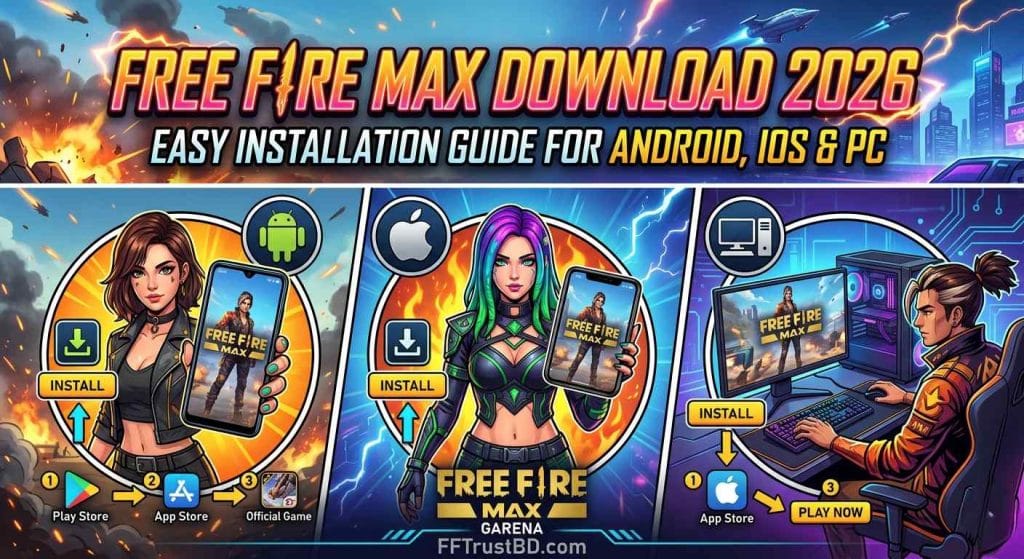
Free Fire MAX Download 2026 – Official Android, iPhone & PC Guide

Free Fire MAX Download – Official Android, iPhone & PC Guide
Use official download sources, check device compatibility, install safely, update the game, and fix common download problems.
Free Fire MAX is Garena’s enhanced battle royale version. It is made for players who want more detailed visuals and effects on supported devices.
This guide covers the safe download options for Android, iPhone, iPad, and compatible Windows PCs. It also explains installation, updates, device checks, and simple fixes when something goes wrong.
Store availability can differ by account, region, device model, and operating system. The official store page is always the final compatibility check.
Official Free Fire MAX Download Links
Choose the official store for your device. The store page will show whether Free Fire MAX is currently available for your account and device.
If Free Fire MAX does not appear in your Play Store or the Install button is missing, connect to a trusted VPN first. Then close Play Store, open it again, and search for Free Fire MAX.
A VPN may help the game listing appear for some users. Always install the game only from the official Google Play Store. Do not use random APK files or modified apps.
Free Fire MAX Requirements and Compatibility
There is no single requirement that guarantees the same experience on every phone. Processor, memory, free storage, phone temperature, graphics settings, and internet quality all matter.
Android
Open the official Google Play page to check whether the game is available and compatible with your device.
iPhone & iPad
Use the App Store page for your exact device. Keep enough free storage before installing.
Performance
Processor, RAM, graphics settings, heat, and background apps can all affect gameplay.
Storage
Keep several gigabytes free for the app, maps, resource packs, and later updates.
How to Install Free Fire MAX on Android and iPhone
Android
- Open the official Google Play link above.
- Check that the game page and developer information look correct.
- Tap Install and wait for the download to finish.
- Open the game after installation.
- Download extra game resources when requested.
iPhone / iPad
- Open the official App Store link above.
- Check whether your device is supported.
- Tap Get or the download icon.
- Open the game after installation finishes.
- Download extra resources if the game requests them.
Free Fire MAX on Android 12, 13, 14, and 15
A newer Android version does not automatically guarantee smooth gameplay. Your phone’s processor, memory, graphics ability, storage, and heat management still matter.
- Keep enough free storage before installing or updating.
- Close background apps before starting the game.
- Lower graphics settings if you see lag or frame drops.
- Restart the phone when the game becomes unstable.
- Use stable Wi-Fi or reliable mobile data for updates.
- Take a break if your phone becomes too hot.
Free Fire MAX Download for PC
When the game is available for your region, check it through Google Play Games on PC. Availability can vary by country and computer configuration.
How to Update Free Fire MAX
Open the same official store where you installed the game. Look for the Update button on the Free Fire MAX page.
Keep extra storage free and use stable internet. Some game updates can download extra files after the main update completes.
Free Fire MAX Download or Install Problems: Quick Fixes
Check Storage
Free several gigabytes so the app and game resources can install properly.
Check Internet
Use reliable Wi-Fi or mobile data, especially for large downloads and updates.
Restart the Store
Close and reopen Google Play Store or App Store, then search again.
Restart Your Device
A restart can clear temporary download, cache, and storage issues.
Check Compatibility
Use the official listing to see whether the game supports your device and region.
Update System Software
Install pending Android, iOS, or Windows updates when available.
Is Free Fire MAX APK Safe?
Official stores are safer for updates, app integrity, and account security. If the game is not available in your store, avoid installing random files from search results.
↑ Back to Quick MenuFree Fire MAX vs Regular Free Fire
Free Fire MAX is for players who prefer more detailed visuals and effects. Regular Free Fire can be more practical for low-end devices or players who want to save storage and battery.
Why Choose MAX?
- More detailed graphics and effects.
- A richer battle royale presentation.
- Firelink support where available.
- Better suited to compatible mid-range devices.
Things to Remember
- Uses more storage.
- Can use more battery.
- Lower-end phones may need lower graphics.
- Extra resources can download after installation.
Prefer the Bengali Version?
Read the complete Bengali guide for Free Fire MAX download, installation, updates, and common Play Store issues.
Read the Bengali Guide →Related Free Fire Guides
Frequently Asked Questions
Where can I download Free Fire MAX safely?
Use the official Google Play Store, Apple App Store, or Google Play Games on PC listing when the game is available for your device and region.
Why is Free Fire MAX not showing in my Play Store?
The game may not appear because of device compatibility, Android version, account country, or regional availability. Check the official store page and avoid unofficial APK files.
Can I play Free Fire MAX on iPhone or iPad?
Yes, when the game is available in your App Store and your device meets the listing requirements. Check the App Store page for the latest minimum iOS or iPadOS version.
Can I download Free Fire MAX on PC?
You can check the official Google Play Games on PC listing. Your region, computer support, and Google Play Games requirements must be met.
Will my Free Fire progress work in Free Fire MAX?
Garena describes Firelink as allowing existing Free Fire account progress and items to be maintained across both applications in real time where supported.
Should I use a modified APK, config file, or cheat tool?
No. Use official sources and standard in-game settings. Modified files can create security, update, and account-related risks.


বিয়ার হেড শট হ্যাকিং ডিভাইস